How this site works, and how I built it
· Day 1 · Obsidian · 12 min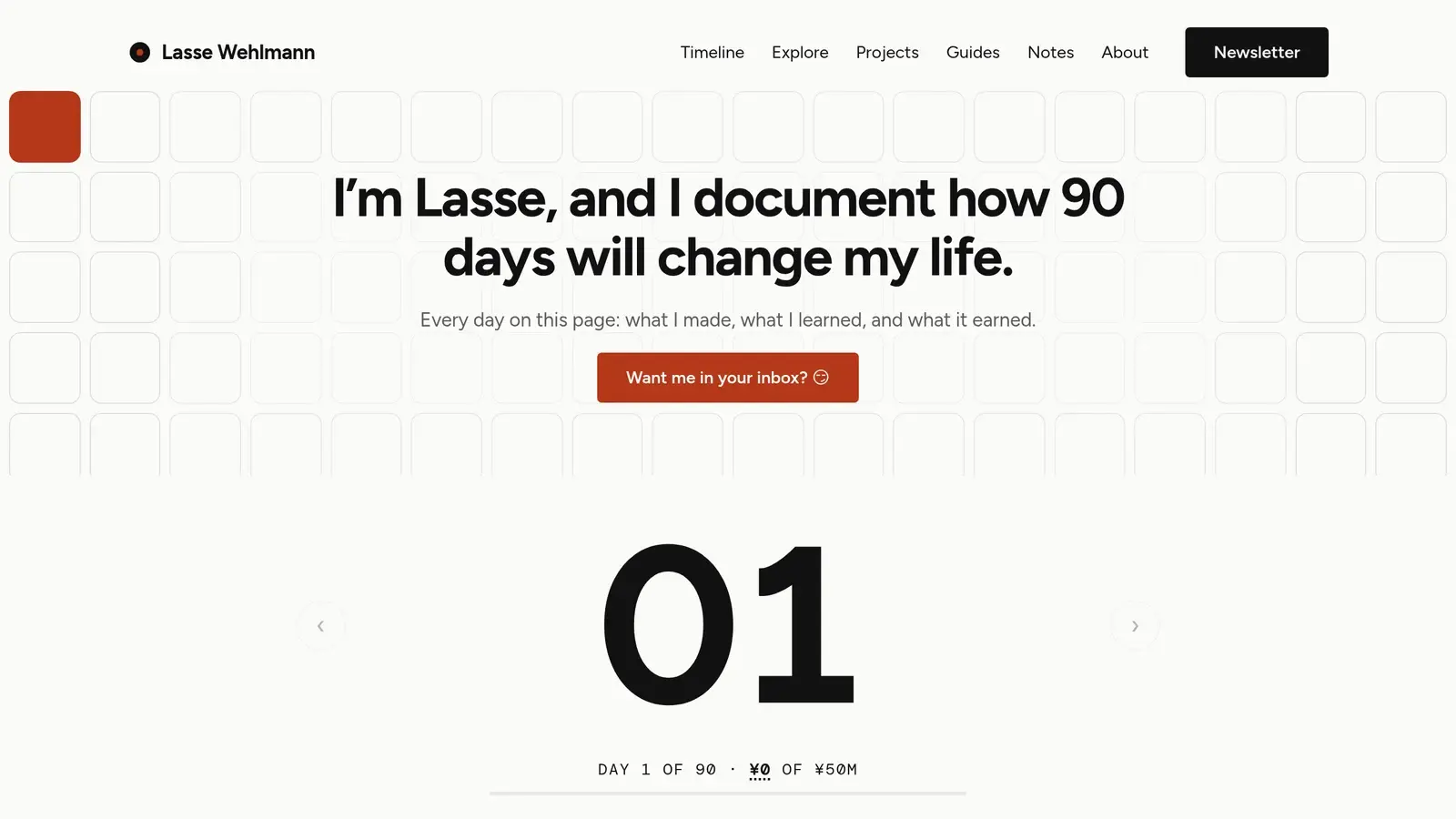
This site runs on my notes. I write in Obsidian, the notes go to a private GitHub repository, and Cloudflare builds the website from them, for free. When a note says publish: true, it shows up here a few minutes later. Everything else stays private. No CMS, no upload button, no server I have to look after.
This is the long version: what the site is, where I write, and every step of how I built it. Copy whatever you want.
If you only need one part, each has its own step-by-step guide:
- Wireframes first, style alongside
- How to sync your Obsidian vault to GitHub
- How to host a website on Cloudflare Pages for free
- How a note in Obsidian becomes a page on my website
- Obsidian templates that put every note in the right place
What this site is
On 1 October 2026 I started Try or Cry: 90 days to earn ¥50,000,000, in public. Every day gets its own page, with what I made, what I learned and what it earned. Today is Day 1.
Everything I make goes into one pool: my journal, notes, guides, videos, photos and books. You can read it two ways:
- By day. The Timeline, also on the home page: every day of the journey, newest first, with that day's journal entry and everything I posted. The counter runs on Tokyo time, so a note I write at half past midnight belongs to the new day.
- By topic. Notes has everything besides the journal, to filter and search, with Guides and Books as their own shelves. A journal entry links to the notes it uses, and every note shows the days that mention it.
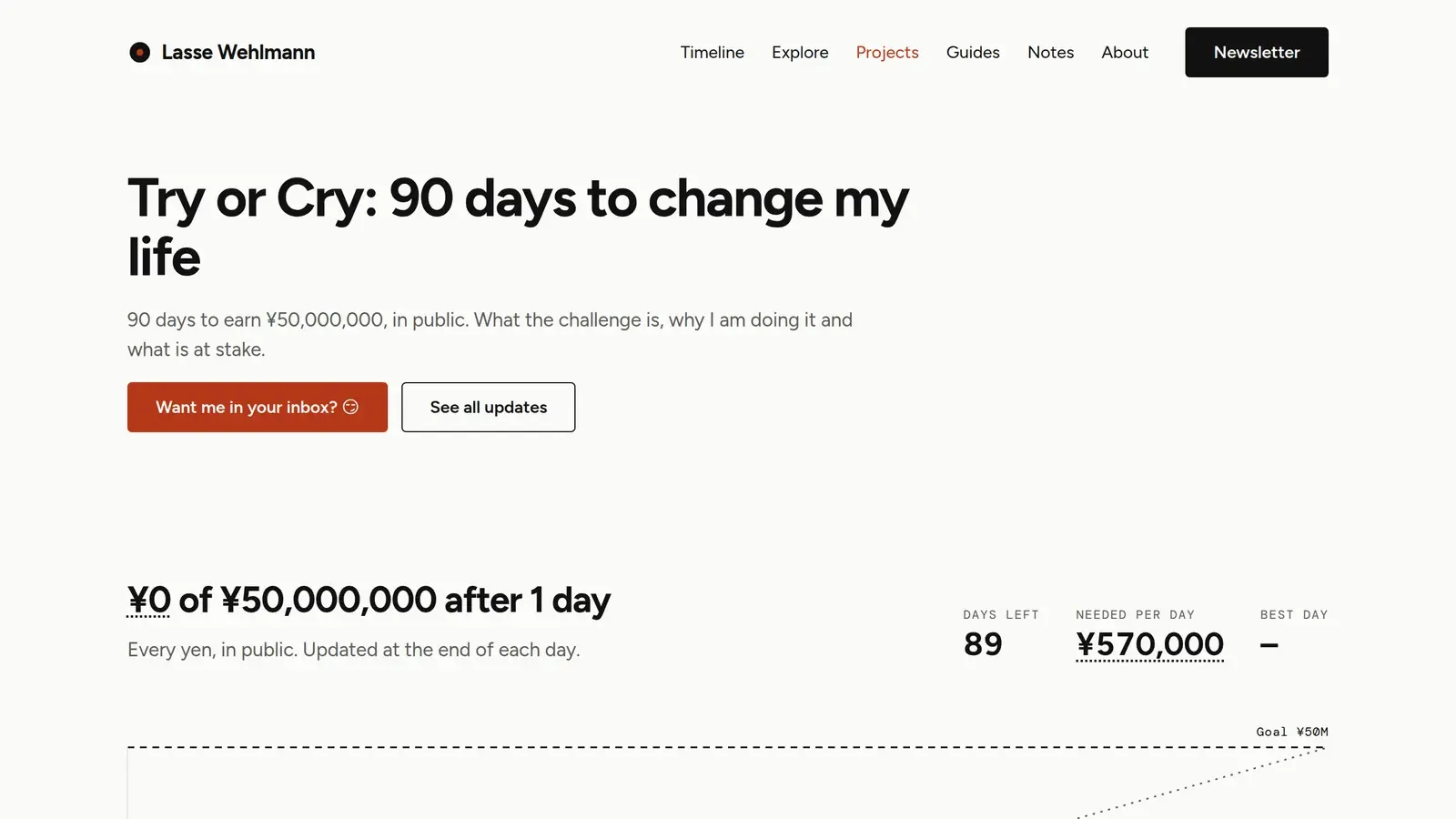
Projects are envelopes. Try or Cry is open. The next one is sealed with tape until Day 90, and no, there is no way to peek.
Where I write: Obsidian
Obsidian is a notes app. The notes are plain text files in a folder on my Mac, ~/Obsidian/lassewehlmann-obsidian. No account, no lock-in. If Obsidian disappeared tomorrow, I would still have a folder of text files.
Every day I open today's daily note. Obsidian creates it in the Journal folder, names it after the date (2026-10-01) and fills in my template. That note becomes the Day page. The rest of the vault is mine: drafts, ideas, client stuff, half-finished thoughts.
Three rules decide what leaves the vault:
- Only notes with
publish: truein their properties. Nothing else, ever. - Anything between
%%marks is removed, even inside a published note. That is where private details go. - Photos and short videos I drop into a published note come along. Photos straight from the phone are fine: the build shrinks them to small WebP files, and only those reach you.
How I built it
1. Wireframes first
Before any colour or font, I decided what goes where. Every page is a stack of sections from a section library: a hero, a timeline, an Explore grid, a footer. Home has seven, in this order, each with a short note on what it has to do.
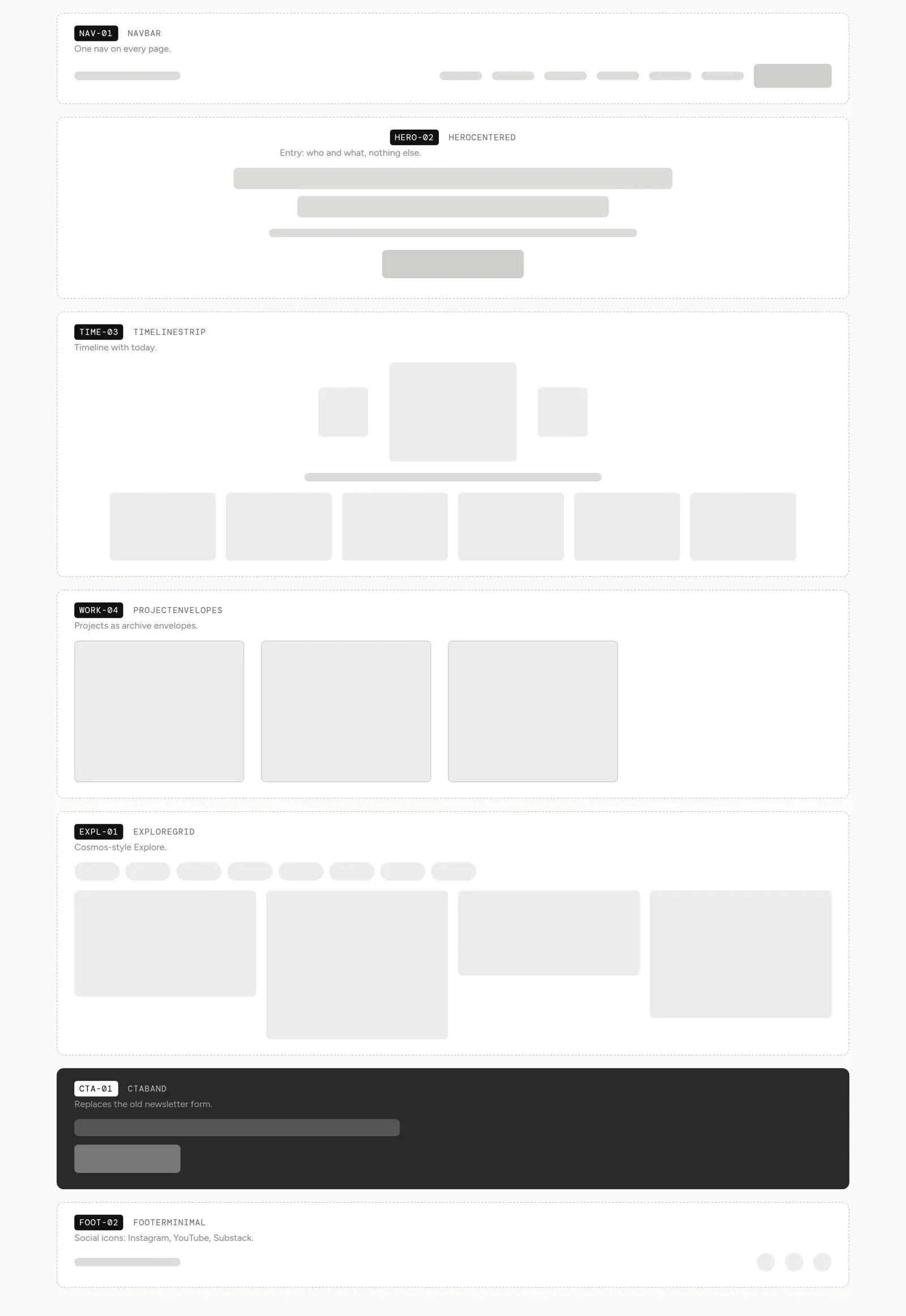
I did this for every page, sixteen of them, from Home to the 404.
Moving grey boxes is cheap. Moving finished design is not.
2. Style next to the wireframes, not after
I did not finish the wireframes and then "add design". I worked on the style at the same time, so I could see early whether an idea fit the structure.
The design system has its own colours, type and spacing: Figtree for text, DM Mono for numbers and small labels, one orange for everything that matters. Then I tried things. Five backgrounds for the top of the home page:
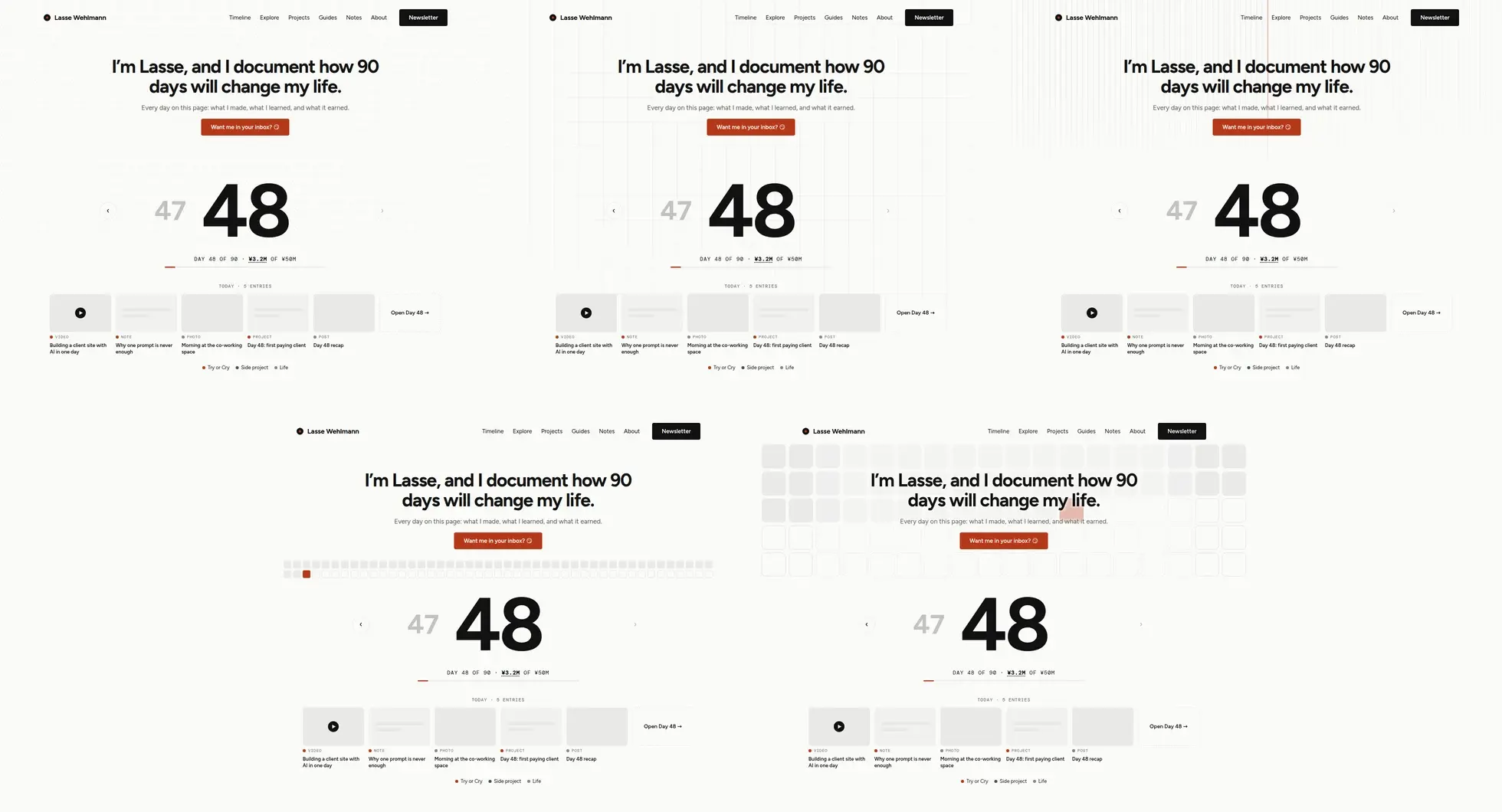
A is a dot grid, B a fine grid, C has 90 day ticks, D is a 90 day grid. E is the one I kept: 90 squares, one per day, today in orange. It is the whole project in one picture.
I also tried three ways to make the headlines louder: a full colour block, a marker highlight and a tape strip. I parked all three. Plain Figtree won.
Then every page, desktop and phone, on one big design canvas. Wireframes, explorations and design were all done with Claude: a section builder, a wireframe kit and the canvas, each a page I could click through and comment on.
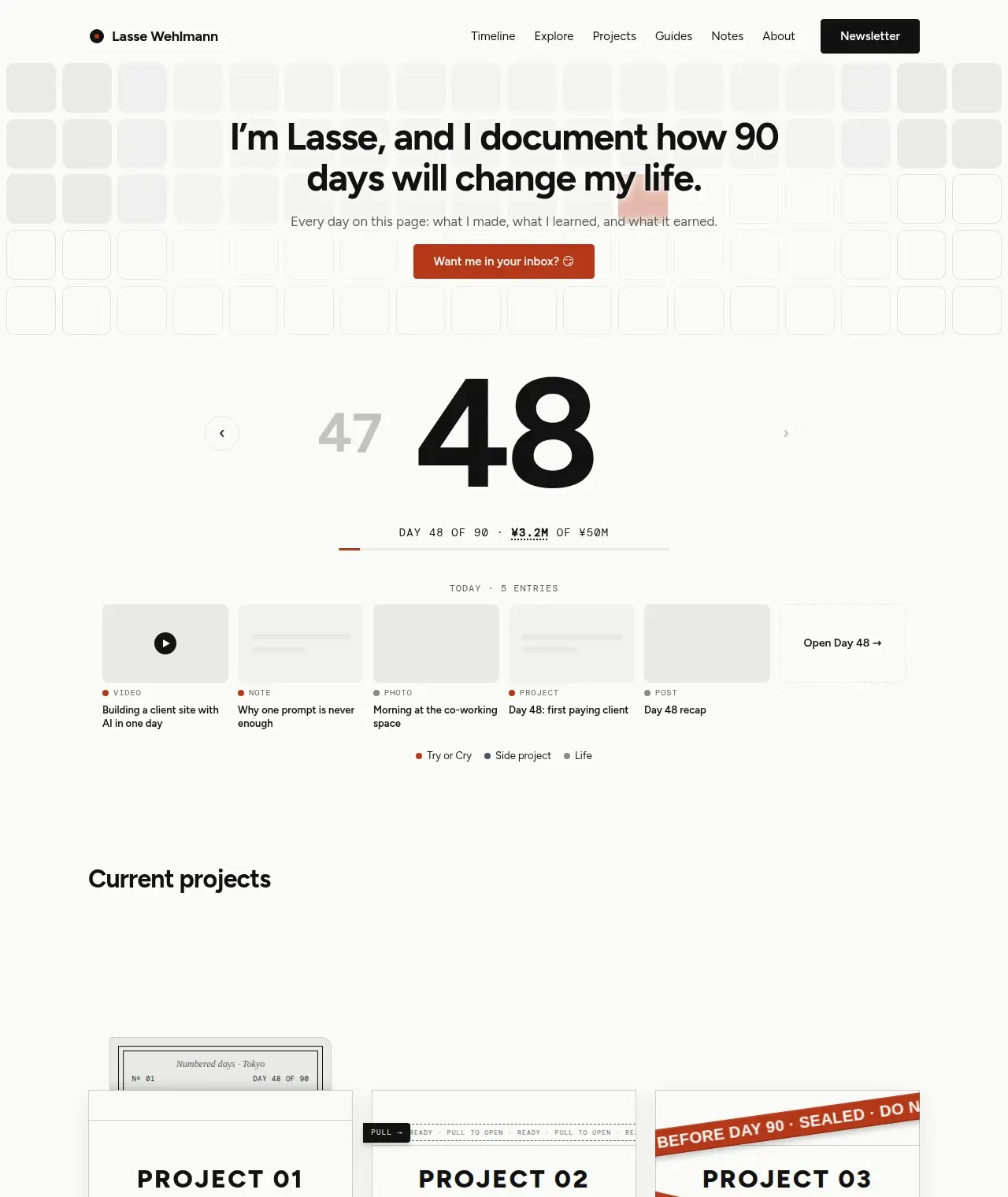

The numbers in the design (Day 48, ¥3.2M) are sample content to see how a full page feels. The real numbers start at zero. Today.
At the end came the handoff: one folder with every page, its sections and copy, the colours and type as tokens, the components, and a screenshot of every page on desktop and phone. Everything a developer needs, so nothing lives only in my head.
Every board and every decision, step by step: Wireframes first, style alongside.
3. From design to code
The developer was Claude Code. It built the site from that handoff in Astro: plain HTML pages, generated in advance, no database. One page per day, one per note, one per video.
The fun parts were the details. The envelopes have tape you rip off: grab the tab, pull, and the strip tears with a ragged edge. Once a project is ready, that is how it opens:
Recorded on a test build with a demo project. My real next envelope stays sealed until Day 90.
Every page was checked at three screen widths, from a small phone to a desktop: nothing may scroll sideways, nothing may throw an error, and the automated accessibility checks have to pass. It works with a keyboard, and it respects "reduce motion" if you have it switched on.
GitHub, in one minute
GitHub is where the files live online, with their full history. Three words are enough:
- A repository is a folder that remembers every version of every file.
- A commit is a save point: "this is what the folder looked like at 9:14".
- Push sends your save points to GitHub. Pull gets the ones from your other devices.
I have two repositories. One holds the website's code. The other holds my vault, and it is private: nobody sees it but me. The website only ever gets what I published.
Why GitHub and not Dropbox or iCloud? Because Cloudflare can read from GitHub and build the site every time something changes. That is the whole trick.
From Obsidian to GitHub: the Git plugin
Obsidian has a community plugin that does the commits and pushes for you. It used to be called Obsidian Git; in the plugin list it is now just "Git".
Once, on the Mac:
- Create an empty private repository on GitHub, for example
your-name/obsidian. - Let git on your Mac log in to GitHub. With Homebrew installed, run this in Terminal and answer the questions (GitHub.com, HTTPS, and yes to "Authenticate Git with your GitHub credentials"):
brew install gh
gh auth login
- Connect your vault folder to the repository and send everything up:
cd ~/Obsidian/your-vault
git init -b main
git remote add origin https://github.com/your-name/obsidian.git
git add -A
git commit -m "Add my vault"
git push -u origin main
- In Obsidian: Settings → Community plugins → Browse → install Git and switch it on.
The settings that make it automatic (Settings → Git):
| Setting | Value |
|---|---|
| Auto commit-and-sync interval | 10 minutes |
| Auto commit-and-sync after stopping file edits | on, so it does not save halfway through a sentence |
| Pull on startup | on, so a device starts with the latest notes |
| Auto pull interval | 10 minutes |
That is it. Every ten minutes, while I write, my notes go up to GitHub.
On the phone it works too, a bit slower. Make a GitHub token for your devices (Settings → Developer settings → Fine-grained tokens, only your vault repository, Contents: read and write). In Obsidian on the phone: install Git, put your GitHub username and that token in its Authentication settings, then run "Clone an existing remote repo" from the command palette.
One warning: pick one sync tool. Git and iCloud or Obsidian Sync on the same vault fight each other, and nobody wins.
Step by step, with the two mistakes I made on day one: How to sync your Obsidian vault to GitHub.
From GitHub to the website
When the site builds, a small script reads the vault and turns published notes into pages:
- a daily note becomes that day's page, and the money in its
earnedproperty goes into the totals [[links]]between published notes become real links, and every note shows what links back to it- photos get resized and compressed, videos get a player that loads nothing until you press play
- everything private is skipped, every
%% comment %%removed
Two things start a build:
- A push that changes a published note or a photo. A small GitHub workflow in the vault checks every push. If only private notes changed, nothing happens. That keeps the build count low.
- Midnight in Tokyo. Every night at 00:05 the site rebuilds itself, so the new day gets its page on time.
From a sync to a live page takes a couple of minutes.
Step by step, including how to schedule a post: How a note in Obsidian becomes a page on my website.
Hosting for free: Cloudflare Pages
The site is hosted on Cloudflare Pages. The free plan covers everything this site needs: the pages, the newsletter sign-up and up to 500 builds a month. The nightly rebuild uses about 30 of those, so there is plenty left for publishing. The hosting costs nothing.
Set it up once:
- Cloudflare dashboard → Workers & Pages → Create → Pages → Connect to Git, and pick the website's repository.
- Build settings:
| Setting | Value |
|---|---|
| Production branch | main |
| Framework preset | Astro |
| Build command | npm run build |
| Build output directory | dist |
- Give the build read access to the vault. On GitHub: Settings → Developer settings → Fine-grained tokens. Repository access: only the vault. Permission: Contents, read-only. In Cloudflare: your project → Settings → Variables and secrets → add
OBSIDIAN_TOKENas a secret with that token. - Make a deploy hook: Settings → Builds → Deploy hooks → add one for
main, copy the address. Put it in both GitHub repositories as the Actions secretCF_PAGES_DEPLOY_HOOK. Now pushes from the vault and the nightly rebuild can start a build. - Custom domains → add your domain. Cloudflare handles the certificate.
The first build takes a minute or two. After that you never open the dashboard again, unless something breaks. Cloudflare moves its menus around now and then, so if a name is different, look for the closest one.
Step by step, with what to do when a build fails: How to host a website on Cloudflare Pages for free.
Templates: so every note lands in the right place
This is the part that makes it feel like magic. Each kind of entry has a template, and the template decides where it ends up.
Set up once in Obsidian:
- Daily notes (Settings → Daily notes): new file location
Journal, date formatYYYY-MM-DD, template file locationTemplates/Journal day. - Templates (Settings → Templates): template folder location
Templates. - Files and links: default location for new notes
Notes, so a quick note never lands in the top folder. - Templater (community plugin): folder templates, so a new note in
Guides/starts as a guide, inBooks/as a book, and so on, with today's date filled in.
Then, for anything new: create it in the folder for its kind. The template is already there. For anything else: command palette → "Templater: Insert template" (I put it on Cmd+T).
| Template | Fill in | Lands on |
|---|---|---|
| Journal day | your day, money in earned |
that day's page (automatic for the daily note) |
| Site note | date |
a note page, in Notes and on that day in the Timeline |
| Guide | date, then text, or just a url |
a guide page, listed on Guides |
| Video | date, youtube (paste the address) |
a video page with the player |
| Link or Post | date, url |
a card in Notes and on that day in the Timeline |
| Photo | date, a photo in the note |
a photo card; the first photo is the cover |
| Book | author |
the shelf on Books |
| Project | status, note |
an envelope on Home and Projects |
| Chapter, Promise | days or dates | the story on the Timeline |
Here is the journal template, the one I use every day:
---
publish: true
title:
summary:
earned: []
---
And a video:
---
publish: false
type: Video
date: 2026-10-06
youtube:
length:
topic:
guide: false
summary:
---
Every template except the journal starts with publish: false. A note is private until I decide it is not. The journal is the exception, on purpose: it goes live with the next sync, so I write it as if someone reads along.
If something does not show up, it is almost always one of three things: publish is still false, the date is missing, or a required field is empty (a video without its youtube address, a book without an author). The build log on Cloudflare says which one, in plain words.
Every template, with examples: Obsidian templates that put every note in the right place.
What a day looks like now
I open Obsidian. Today's note is already there. I write. Every ten minutes it goes to GitHub, Cloudflare builds, and the Day page updates. At midnight in Tokyo a new day starts, and the site knows before I do.
That is the whole machine. From here on it gets one new page a day, for 90 days. Follow along on the Timeline, or get one email every Sunday.
Questions
Does this cost anything? The hosting on Cloudflare, private repositories on GitHub, Obsidian and the Git plugin cost nothing for a site like this. The domain is the one thing you pay for.
Do I need to code? To build it, someone has to. Claude wrote the code for mine. To run it, no: I write notes, and the site takes care of the rest.
Can I write on my phone? Yes. The Git plugin works on iPhone and Android with a token. It is slower than on a computer, and the vault gets heavier with every photo.
What if I publish something by accident?
Set publish: false and let it sync. The next build removes the page. The note itself stays in your private repository's history, so the vault stays private, but the website forgets it.
Can anyone read my private notes?
The vault repository is private. Cloudflare's build can read it with a read-only token, but it only turns notes with publish: true into pages. Everything else stays where it is.